
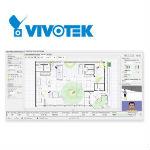
 Latin America. Vivotek announced the launch of an IP Video System Design Tool, which allows system designers to simulate the coverage of any Vivotek network camera system in 2D and 3D.
This free tool helps system designers save time when they need to determine the ideal position for any network camera. It also makes the design of professional video surveillance systems not only more cost-effective but also smarter.
It creates a triple benefit by achieving greater satisfaction for system designers, end users and Vivotek.
Vivotek's IP Video System Design Tool offers four main benefits:
Accurate Information Plan: VIVOTEK's IP Video System Design Tool includes the detailed specifications of all VIVOTEK network cameras. System designers are therefore able to more accurately design a safety strategy using the lens focal length and viewing angle calculation tool. Thanks to its synchronization function, the latest camera information can be updated manually or automatically.
Easy-to-Use Features: The Design Tool can also estimate bandwidth and storage requirements to help design network video systems for any number of network cameras, video servers, and provide an overview of system deployment for many different surveillance scenarios.
Visualize Communications: It has a completely intuitive interface and uses 2D and 3D modeling, so system designers can accurately check the field of view of each camera and therefore reduce blind spots and points without coverage. The clarity and accuracy of this simulation means that users can anticipate problems and avoid them during or after installation.
Realistic Scenarios: To develop a more realistic system plan, VIVOTEK's IP Video System Design Tool allows system designers to upload drawing images in JPEG, JPG, BMP and PDF background images. In addition, project details can also be exported to PDF for clear project documentation.
The Vivotek IP Video System Design Tool is available on the Vivotek website and supports the following operating systems: Windows 10, 8, 7, Vista, XP SP2. For Mac users, please install Parallels Desktop in advance.